A Small Craft Advisory is one of those phrases that sounds simple until you are looking at the harbor mouth with a schedule, a crew, and a boat that is technically “small” in one weather office and normal in another. The short version: the National Weather Service issues it when wind, seas, or a mix of both are expected to make conditions rough enough that operators of smaller vessels should use extra caution.
The advisory is useful because it turns a wide marine forecast zone into a clear timing problem. When does it start? When does it end? Is the concern wind, steep short-period seas, a building swell, or all of it at once? Those details matter more than the headline.
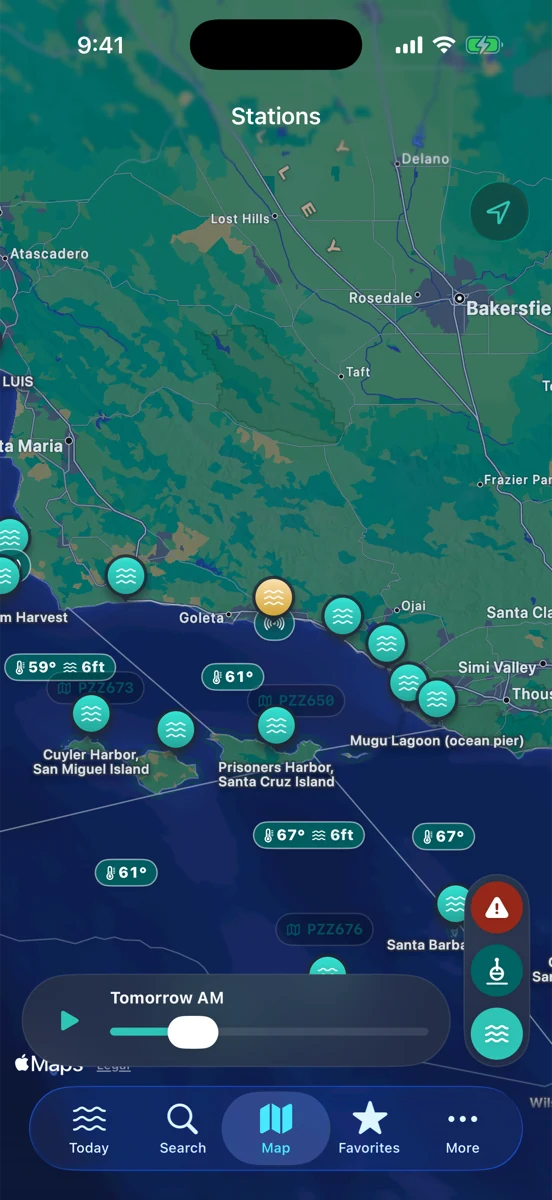
“Small craft” is not one exact boat size
There is no single national boat length that makes a craft “small” in every situation. A beamy harbor boat, a center-console, a sailboat under reefed main, and a loaded kayak can all experience the same forecast differently. Local National Weather Service offices set advisory criteria around the wind and sea states that matter for their waters.
That is why the best first read is not “am I small?” but “what is the advisory warning me about?” If the text says northwest winds are increasing in the outer waters this afternoon, that is a different planning problem than a long-period swell filling in overnight or steep wind chop inside a channel.
Read the advisory like a timing note
The headline gets your attention. The timing keeps you honest. For a Santa Barbara boater, the difference between a morning errand inside the harbor and a late-afternoon run across the channel can be the whole story. For an angler, a tide turn that looked good on the calendar can line up badly with the advisory window. For a surfer checking a point, the same weather pattern may mean the buoy is telling a more complicated story than the tide table alone.
When you see a Small Craft Advisory, slow down and answer three questions:
- What is driving it? Wind, seas, swell direction, gusts, or a combination?
- Where is it? Which marine zone is covered, and does that zone match where you are actually going?
- When is the roughest window? The start and end times are often the most useful part of the product.
Match it against live buoys
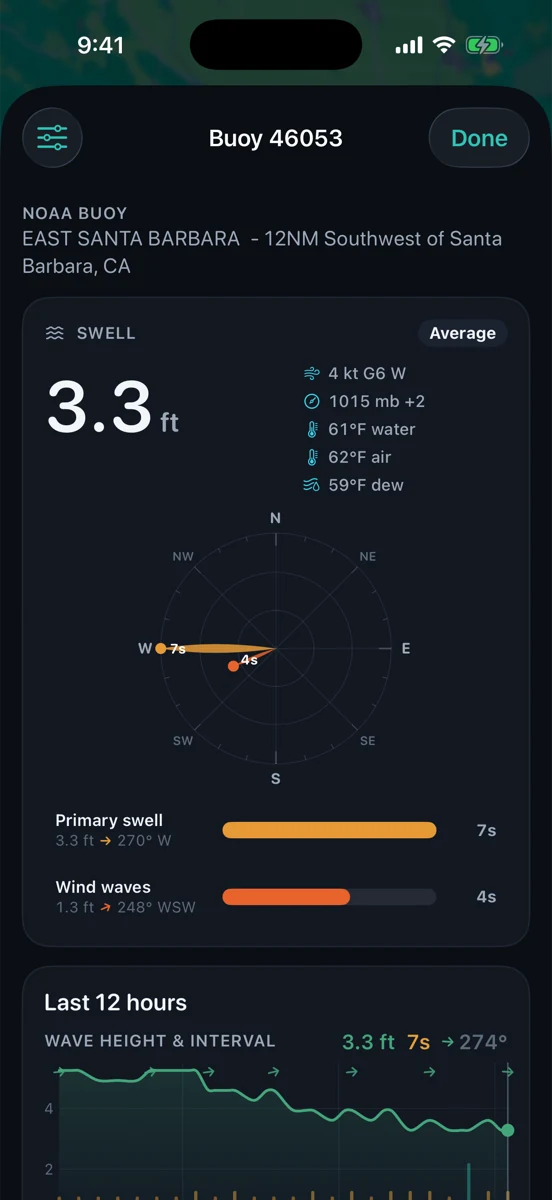
Forecasts tell you what is expected. Buoys tell you what the water is doing now and what it has been doing for the last few hours. If an advisory is up for wind and steep seas, the nearby buoy can show whether the trend is already building, still flat, or running ahead of the forecast. Look at wind speed and gusts, wave height, swell period, and direction together; one number by itself rarely tells the whole story.
Put the tide back into the picture
The tide does not cancel an advisory, but it can change the way a place feels. A shallow harbor entrance, a sandbar, or a beach launch can behave differently around low water, especially when wind chop or swell is stacked on top. Tide predictions are still predictions, not guarantees, but they give you the baseline for when the water should be rising, falling, or near a turn.
Rip’s rule is simple: read the advisory, then read the water. Use the NWS product for the forecast window, the buoy for real-time trend, and the tide curve for local timing. Then use your eyes, your vessel, and your judgment.
How RipCat helps
RipCat is built to keep those checks in one place for U.S. NOAA/NWS/NDBC waters: tide predictions, live buoy observations, NWS marine advisory zones, and simple forecast detail. It does not make the decision for you. It just reduces the tab-hopping so the important questions are easier to answer before you load the cooler, rig the rods, or untie the dock line.
If you want to go deeper by use case, start with the boating and sailing view, the fishing view, or the surf view. Station-specific tide pages are still in pilot review, so this post links to those segment guides for now.
Check the advisory window before you go.
RipCat brings NOAA tides, NWS marine advisories, and NDBC buoy conditions into one clean Apple-native app. U.S. coverage only. Forecasts and predictions are planning aids, not navigation advice.
Get RipCat free on the App Store